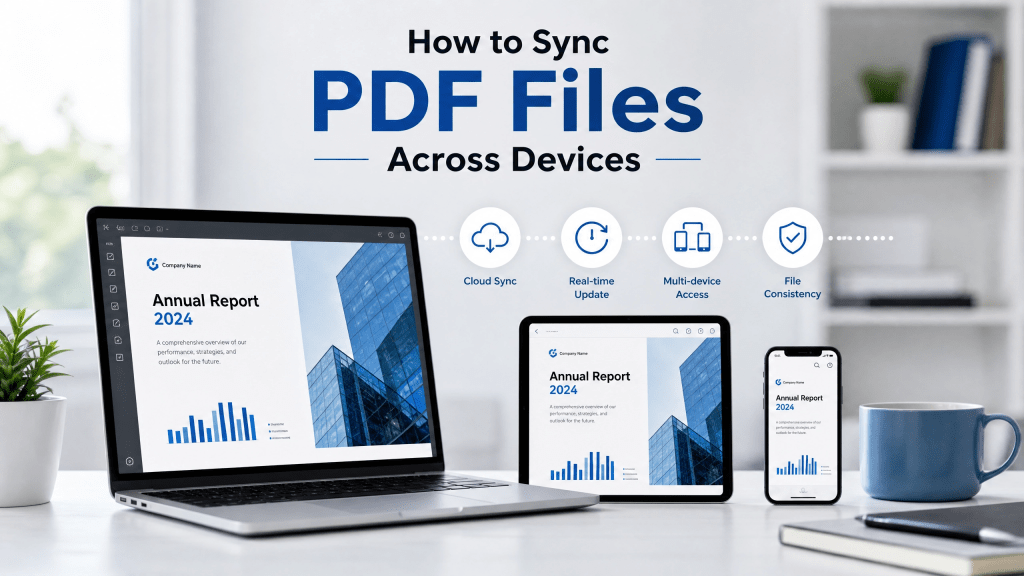
In today’s digital workflow, people rarely use just one device. You might read documents on your iPhone, edit them on your laptop, and review them on a tablet. That’s why pdf sync has become an essential part of modern file management.
Syncing PDF files across devices ensures that your documents are always up to date, no matter where you open them. Whether you are working, studying, or managing personal files, synchronization saves time and prevents confusion caused by multiple file versions.
In this guide, we’ll explain how PDF syncing works, the best methods to use, and how to keep your documents organized across devices.
Why PDF Sync Matters
Without syncing, users often face problems such as:
- Different versions of the same file
- Lost edits when switching devices
- Difficulty finding updated documents
- Manual file transfers using cables or email
Syncing solves these issues by keeping everything connected in real time.
Cloud Storage: The Foundation of PDF Sync
Cloud storage is the most common method for syncing PDFs.
It allows files to be:
- Stored online
- Accessed from any device
- Automatically updated
- Backed up securely
Popular workflows include uploading a PDF from your phone and instantly accessing it on your computer.
What is PDF Sync?
PDF syncing refers to keeping your PDF files consistent across multiple devices.
When you update a file on one device, the changes automatically appear on others connected to the same system.
This allows you to:
- Access the latest version of a document anywhere
- Avoid duplicate files
- Work seamlessly across devices
- Reduce manual file transfers
Syncing PDFs on iPhone
iPhone users benefit from built-in syncing tools that make document management simple.
With iCloud and file apps, you can:
- Store PDFs in the Files app
- Sync documents across Apple devices
- Access files offline when needed
- Share files instantly
If you want to understand how backup and storage systems support syncing, this guide is helpful:
How to Backup PDF Files
Backup and sync systems often work together to protect your documents.
Cross-Device PDF Sync Methods
There are several ways to sync PDFs across devices:
1. Cloud Platforms
Best for real-time syncing and multi-device access.
2. Email or Messaging Apps
Useful for quick manual transfers.
3. AirDrop (Apple devices)
Fast local syncing between iPhone, iPad, and Mac.
4. External Storage
USB drives or SSDs for offline syncing.
Each method has different advantages depending on your workflow.
Organizing PDFs Before Syncing
Proper organization improves syncing efficiency.
Best practices include:
- Creating clear folder structures
- Using consistent file naming
- Removing duplicate files
- Sorting by category or project
A well-organized system ensures smoother syncing and easier file retrieval.
Using Tools for Better PDF Management
Modern tools make syncing and managing PDFs easier than ever.
Some tools offer:
- Automatic cloud syncing
- File compression
- Cross-device compatibility
- Secure storage
- Quick file sharing
If you are using a scanning and document workflow tool, you can explore:
Scan Nova PDF Tool
These tools simplify file handling and improve productivity.
Common PDF Sync Problems
Even with modern systems, users may still face issues:
- Sync delays between devices
- Conflicting file versions
- Storage limits on cloud accounts
- Missing files due to misconfiguration
- Internet dependency issues
Most of these problems can be solved with proper setup and organization.
Improving PDF Sync Performance
To improve syncing speed and reliability:
- Use stable internet connections
- Compress large PDF files
- Avoid unnecessary file duplication
- Enable automatic syncing features
- Regularly clean unused files
These steps help maintain smooth performance across devices.
Real-World Experience with File Syncing
Many users only realize the importance of syncing when something breaks.
You’ve probably run into this too — scanning a code and nothing happens.
Similarly, file syncing failures often lead to confusion when documents don’t appear on the expected device or version mismatches occur. Proper setup prevents these issues.
Security in PDF Syncing
Since PDF files often contain sensitive information, security is important.
To keep files safe:
- Use encrypted cloud storage
- Enable two-factor authentication
- Avoid public sharing links
- Regularly review access permissions
Security ensures your synced files remain protected across all devices.
Best Practices for PDF Sync
To maintain efficient syncing:
- Always use a primary cloud service
- Keep file structures consistent
- Update apps regularly
- Avoid offline edits without syncing later
- Monitor storage usage
These habits help maintain a stable workflow.
Future of PDF Sync Technology
PDF syncing continues to evolve with new technologies:
- AI-based file organization
- Real-time collaboration tools
- Smarter conflict resolution systems
- Faster multi-device synchronization
- Offline-first sync capabilities
These improvements will make cross-device workflows even more seamless.
Final Thoughts
Understanding how pdf sync works is essential for anyone managing digital documents across multiple devices. Whether you are working on business reports, personal files, or study materials, syncing ensures your data stays consistent and accessible everywhere.
With cloud tools, smart organization, and proper setup, syncing PDFs becomes a smooth and reliable part of everyday digital life.
Get the App
Start managing and syncing your PDF files easily across devices:


Leave a comment